CF Waiting Room
FlashPass AIO's CF Waiting Room bot polls a Cloudflare Waiting Room URL, solves the Turnstile challenge when one appears, waits out the queue, and delivers your pass link via webhook once you're through.
Before you start
- A Webhook Group is required — this is how FlashPass delivers your bypass link, you cannot run a CF Waiting Room task without one.
- Capsolver API Key set in Settings if the waiting room embeds a Cloudflare Turnstile widget (most do).
- A proxy group is optional but recommended for running many sessions at once without rate-limiting.
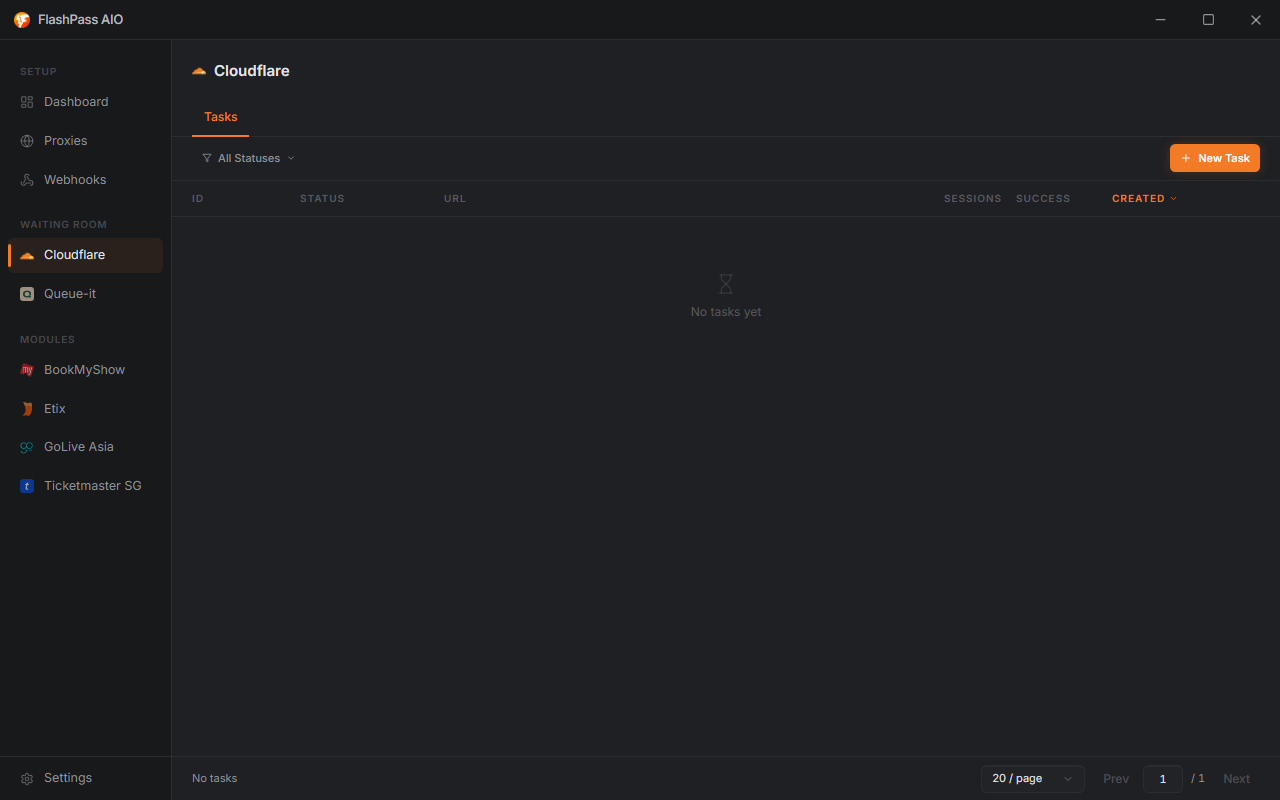
Creating a task
Open CF Waiting Room from the sidebar → New Task.
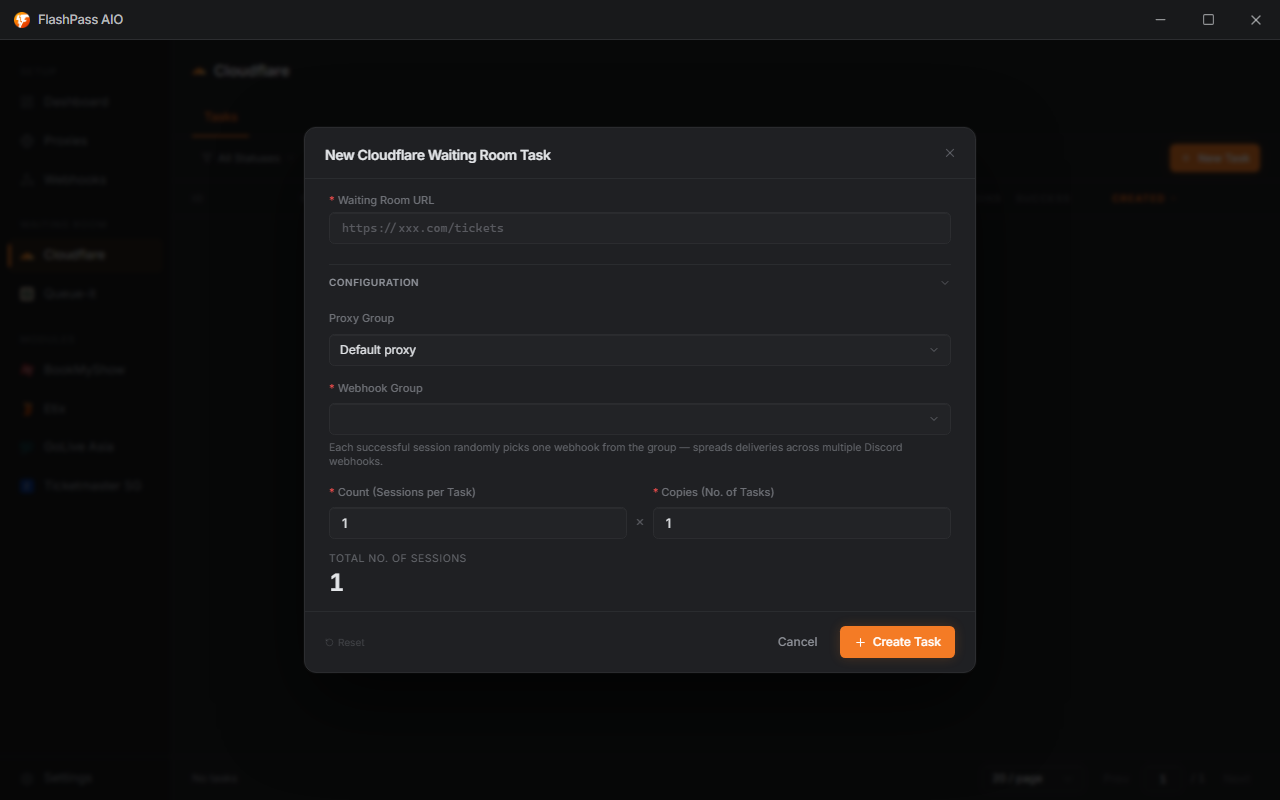
Waiting Room URL (required)
Paste the link to the page protected by Cloudflare's Waiting Room. FlashPass polls this URL directly, detects the waiting room markers, and re-requests it on the cadence the server advertises (Retry-After/Refresh headers, or every 5 seconds if the server doesn't specify one).
Proxy Group
Which Proxy Group to draw from for waiting room sessions.
- Leave on Default proxy to fall back to the Default Proxy URL set in Settings → General.
- Any proxy type works — test what holds up best against the specific target.
Webhook Group (required)
Which Webhook Group receives your pass-link delivery. Each successful session randomly picks one webhook from the group — this spreads deliveries across multiple Discord channels instead of flooding one.

Count (Sessions per Task) (required, 1–5000)
How many waiting-room sessions a single task spins up. Each session is an independent attempt at getting through.
Copies (No. of Tasks) (required, 1–1000)
How many copies of this exact task config to create. FlashPass multiplies Count × Copies to show Total No. of Sessions live in the dialog — that's your real concurrency, not just one number.
Example: Count = 50, Copies = 4 → 200 total sessions running.
Running the task
Click Create — tasks join the list (statuses & managing). Opening a running task's detail view shows a live session breakdown (Initializing → Solving Cloudflare → Cloudflare solved → Waiting in queue → Passed/Failed). As sessions pass the waiting room, pass links land in your chosen Discord webhook.
Common issues
| Symptom | Cause / Fix |
|---|---|
| No webhook delivery despite "Finished" status | Webhook Group not selected, or Discord webhook URL invalid/deleted — recheck in Webhook Groups. |
| Sessions stall on "Solving Cloudflare" | Missing/invalid Capsolver API Key in Settings → Captcha — the Turnstile widget is detected but can't be solved without it. |
| Sessions fail immediately | Waiting Room URL expired or copied wrong — re-grab the link straight from the target site right before running. |
| Queue takes far longer than expected | Proxy quality — try switching proxy type/group; heavily-flagged proxies queue slower or get bounced. |